Try it right here
See how Bangla Hero Keyboard feels without installing anything. Tap with your finger or click with your mouse.
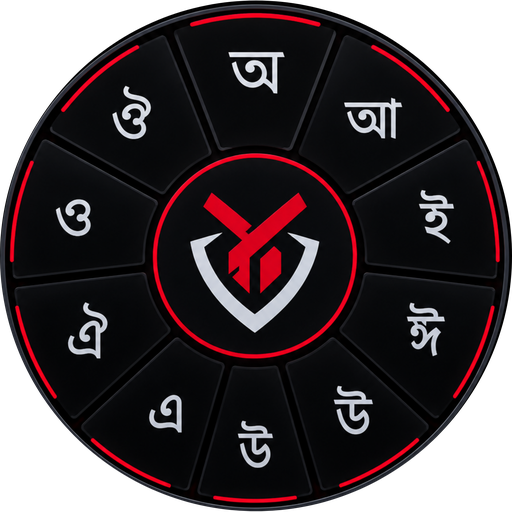
- 1The wheel: press and hold any consonant (say ক) and a circle opens. Slide onto a vowel sign and release to write কা, কি, কু… A quick tap writes ক.
- 2Phonetic: tap En for the English layout. With Avro on, ami becomes আমি and shikkha becomes শিক্ষা.
- 3⇧ gives Bangla digits and independent vowels. The top bar shows suggestions and emoji, with a hint of the app's other features.
🎨 Build your own theme
In the app, the custom theme builder and premium (★) themes are for premium users; here you can preview them all.
All the features in one place
Everything you need to write freely in your own language.
Wheel method
Press and hold a consonant and pick a vowel sign from the wheel: কা, কি, কু in one move.
Conjunct-friendly
Type ক্ষ, জ্ঞ, ্য, ্র and other conjuncts easily and build your skill.
Avro phonetic
Type ami on the English layout and get আমি. The familiar phonetic way is here too.
Light suggestions
Fast, lightweight word suggestions so you spend less time hunting for words.
17 themes + your own
Free and premium themes, plus a builder for your own colours.
Typing practice
Type short lines and see your mistakes, speed and accuracy.
Clipboard & emoji
Bring back copied text and add emoji with one tap.
Voice input
Speak to write when you are short on time.
From Sworochokro Bangla Keyboard to Bangla Hero
If you were looking for Sworochokro Bangla Keyboard (স্বরচক্র বাংলা কীবোর্ড, also written Shorochokro or Sworochakra), this is its new and complete form.
Sworochokro Bangla Keyboard was an easy way to write Bangla with a wheel of vowel signs around each consonant. Bangla Hero Keyboard brings that idea back, rebuilt and more complete, by the same maker, TorunHero Studio, with all-new code and design for modern Android. (It is a separate project from any other keyboard that uses a similar wheel idea.)
Same as before
- Letters arranged for the wheel method
- As easy as the alphabet order learned at school
- Convenient conjunct typing
- Core keyboard stays free
What is new
- All-new code and a modern design
- 17 themes and a custom theme builder
- Avro phonetic and light suggestions
- Typing practice, clipboard, voice input
How to get started
Three simple steps.
Install
Get Bangla Hero Keyboard from Google Play.
Enable
Open the app, tap the enable button and turn the keyboard on in Android settings.
Write
Select it as your input method and type Bangla in any app.
🤝 Free, now and in the future
The core keyboard is completely free and will stay free. To keep development and our child-safety work going, a few features are paid or freemium.
💙 Our mission
We want technology to serve people. We work for the online safety of children and teenagers so everyone can use the internet safely and resist addiction.
By buying Premium you take part in this work. Thank you ❤️
FAQ
Common questions about Sworochokro Bangla Keyboard and Bangla Hero Keyboard.
What is Sworochokro Bangla Keyboard?
Sworochokro Bangla Keyboard (স্বরচক্র বাংলা কীবোর্ড) is a Bangla keyboard app made by TorunHero Studio. When you press and hold a consonant, a wheel of vowel signs appears; choosing one writes combinations like কা, কি, কু in a single move.
Is Bangla Hero Keyboard the new version of Sworochokro Bangla Keyboard?
Yes. Bangla Hero Keyboard is the complete evolution of Sworochokro Bangla Keyboard. It keeps the same wheel-based typing method, rebuilt from scratch with new code and a new design for modern Android, plus themes, a custom theme builder, typing practice, clipboard, voice input and more.
Is Bangla Hero Keyboard free?
The core keyboard is completely free and will stay free. To keep development and our child-safety work going, a few features (such as premium themes and the custom theme builder) are paid or freemium. Premium themes can also be tried for a limited time by watching rewarded ads.
How do I install and enable it?
Install Bangla Hero Keyboard from Google Play, open the app and tap the enable button, turn the keyboard on in Android settings and select it as your input method. Then start typing in any app.
How do I type conjuncts (যুক্তবর্ণ)?
Press the hasanta (্) key after a consonant and then type the next consonant, or use ready-made keys like ক্ষ and জ্ঞ. In phonetic (Avro) mode, typing shikkha gives শিক্ষা. The app also has a typing practice screen.
Is there an Avro phonetic keyboard?
Yes. Keep Avro mode on in the English layout to type Bangla phonetically, for example ami gives আমি and bangla gives বাংলা.
Does the keyboard collect what I type?
No. Our goal is to avoid collecting user data. The keyboard does not send or store what you type on our servers. Google services are used for ads and purchases; details are in the Privacy Policy.
Is the app safe for children?
We work for the online safety of children and teenagers. Rewarded ads are requested as non-personalized and with a restricted ad content rating. See the Privacy Policy for details.
Who makes Bangla Hero Keyboard?
TorunHero Studio, the same team behind Sworochokro Bangla Keyboard. Bangla Hero is its complete evolution.